



AI Systems, Automation, and Business Integration.
Systems for work that should not stay manual.
CX83 Labs connects the tools you already use, reduces repetitive work, and builds focused software around the way your business operates.
Start with one useful improvement. Build from there.
Real CX83 website demonstration
Your website. Your AI. Just ask.
See how a request made in ChatGPT becomes an actual change to the CX83 website, using approved connections, real checks, and a verified staging result.
Software in developmentExplore connected websites
Read the video sequence and source evidence
- Before: The CX83 Contact page needed the same visual identity as the updated website.
- Request: The owner asked ChatGPT to apply the existing brand colors and layout.
- Action: The authorized CX83 development connection performed actual website work.
- After: The Contact page showed the refreshed design and retained its inquiry form.
- Verification: Actual CX83 website releases were tested and deployed to protected staging. This is a first party demonstration, not a customer deployment.
The video is an edited, captioned demonstration. Third party provider accounts and publishing require explicit permission.
01 / What we can connect
Your tools. Working together.
Explore a few ways AI, automation and software can connect the tools your business already uses.
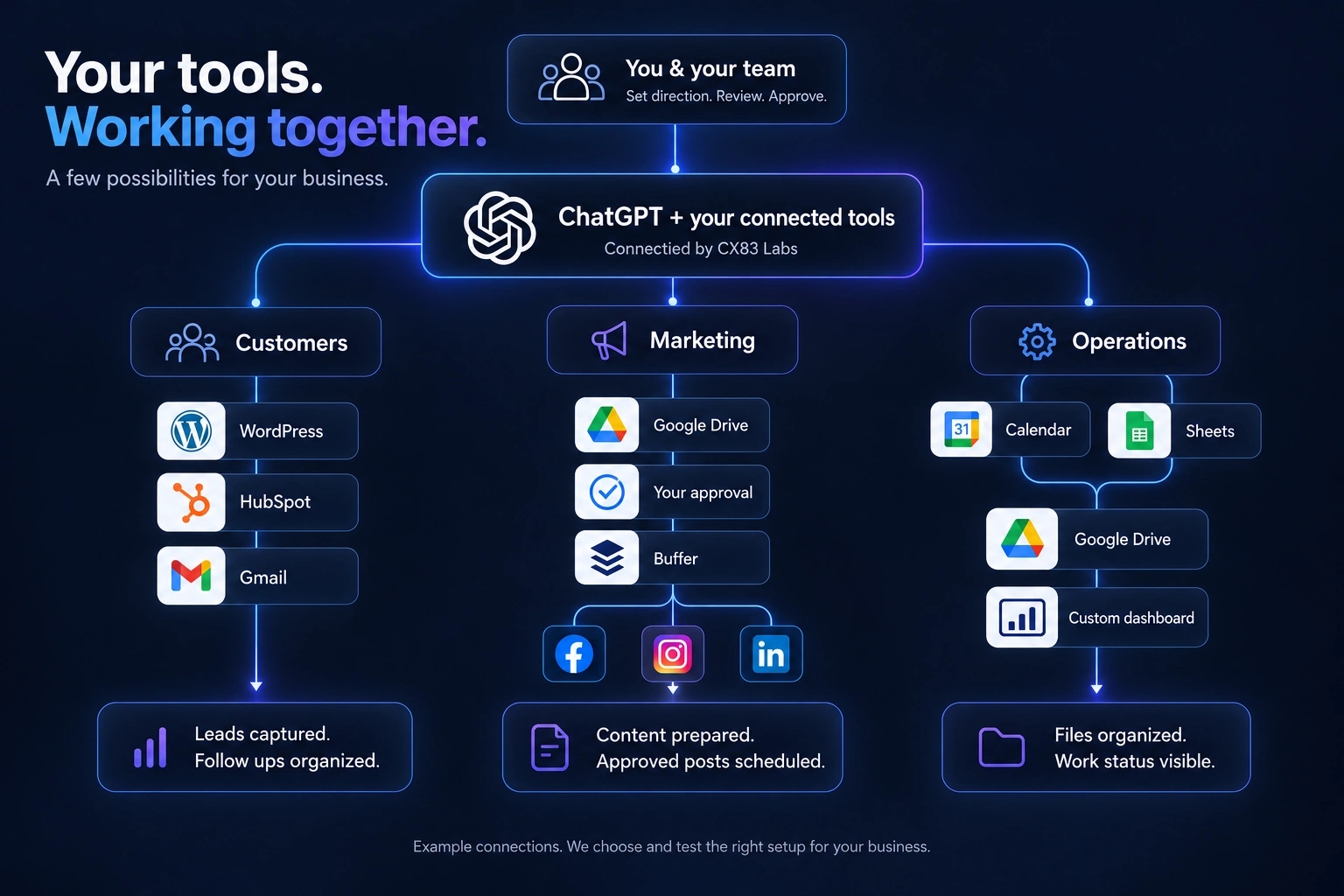
You set the direction. Your team reviews and approves.
Customers
WordPress, HubSpot and Gmail help keep customer conversations connected.
Leads captured. Follow ups organized.Marketing
Google Drive and ChatGPT help prepare content. Your approval comes before Buffer schedules posts.
Content prepared. Approved posts scheduled.Operations
Google Calendar, Sheets and Drive connect to a custom dashboard with ChatGPT assistance.
Files organized. Work status visible.
02 / How we work
Start with the problem.
Keep the solution practical.
A clear scope, a working system, and an understandable handoff. No need to rebuild your entire business to make progress.
Understand the work
Start with the process, the people, and the point where things slow down. Decide what actually needs to change.
Connect or build
Use the tools that already fit. Connect them where possible, and build something custom when the problem calls for it.
Test and hand over
Check the complete workflow, document how it works, and make the next steps clear before expanding it.
Your next useful step
What could work better
in your business?
Tell us what is slow, disconnected, or still being done by hand. We can start there.